
Click View > Connectors / Functions to show or hide trim, tie-in, tie-off, and connector symbols.
|
|
Click View > Connectors / Functions to show or hide trim, tie-in, tie-off, and connector symbols. |
The software automatically adds connectors between objects in a design. The Show Design droplist includes Connectors and Functions options.
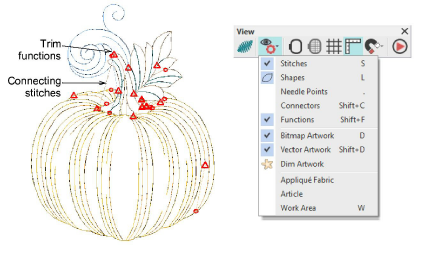
Use these viewing functions to toggle display of connecting stitches and machine functions such as trims and tie-offs. This helps you when checking your design prior to stitchout. The display color now defaults to red for clearer visibility. This can be changed via the Background and Display Colors dialog.
Add-ons
Get started & learn faster with...






