
Click View > Show Design to show or hide trim, tie-in, tie-off, and connector symbols.
|
|
Click View > Show Design to show or hide trim, tie-in, tie-off, and connector symbols. |
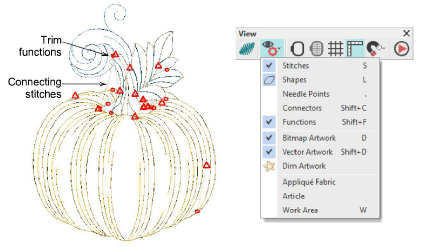
The software automatically adds connectors between objects in a design. When connectors become long enough to trim, the software adds tie-in and trim functions. These are indicated by the symbols shown below – circle for tie-in, triangle for trim and tie-off. The Show Design droplist includes Connectors and Functions options. Use these or the associated shortcut keys to toggle display of connecting stitches and machine functions such as trims and tie-offs. This helps you when checking your design prior to stitchout.
Add-ons
Get started & learn faster with...






