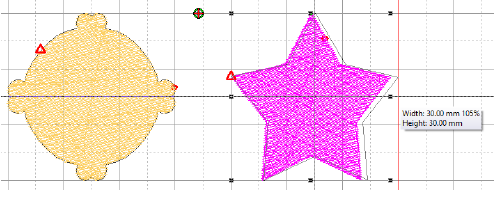
Click View > Show Grid to show or hide grid. Right-click for settings.
Click View > Show Rulers & Guides to show or hide rulers and guides. Right-click for settings.
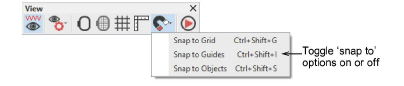
Click View > Snap to access ‘snap’ toggles – snap to grid, snap to guides, and snap to objects. Right-click for settings.
When you digitize embroidery, accuracy is everything – stitch paths, spacing, and alignment all affect how a design runs on-machine and looks on fabric. Grids, rulers, and guides give you a precise visual framework so every point you place is deliberate and repeatable.
Used together, grids, rulers, guides, and snap give you a disciplined layout environment that translates directly into cleaner paths, fewer edits, and more professional stitchouts.
Usage tips
Choose a grid spacing that matches the task – e.g. 1 mm for fine detail, 5–10 mm for layout.
Adjust display colors for contrast against your artwork or fabric preview.
Set a reference point early – design center or hoop origin – and work outward.
Use the Snap options on the View toolbar to help place points and objects with absolute accuracy while digitizing. Hold Alt to temporarily override when you need free placement.