
Click View > Show Grid to show or hide grid. Right-click for settings.

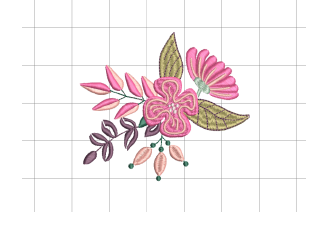
Click View > Show Hoop Template to show or hide hoop template.
|
|
Click View > Show Grid to show or hide grid. Right-click for settings. |
|
|
Click View > Show Hoop Template to show or hide hoop template. |
Grids are an essential design aid in Hatch Embroidery, providing a visual framework to help you align, size, and position embroidery objects with precision. Templates for all hoops are also included in Hatch Embroidery. These can be used for positioning instead of the design grid. Grid and hoop template are mutually exclusive.
Adjust the background as preferred.
Click the Show Hoop Template icon to toggle hoop template display on or off.
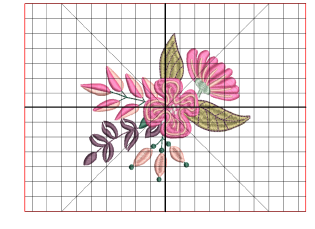
Click the Show Grid icon to toggle grid display on or off.
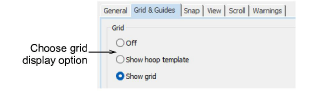
Right-click the Show Grid icon to access grid settings. You can also turn on or off grid or hoop template settings from this dialog.
The ability to set custom grid spacings is important. Whether you’re working on fine details that require a 1 mm sub-grid or planning larger repeats that align on 10 mm intervals, flexible spacing helps you work faster and with greater accuracy.
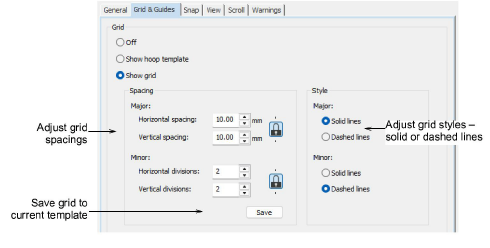
Enter grid Spacing values for horizontal and vertical grid lines. Major grid lines act as clear reference points, while minor divisions give you the fine control needed for professional-quality embroidery layouts.
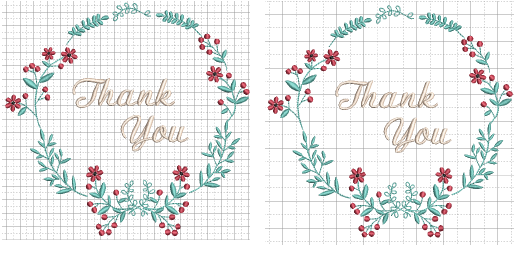
Adjust grid Style values as preferred – solid or dashed lines – for major and minor grid lines.
Select the Set Reference Point checkbox to set the zero point of the ruler. For example, you can set the grid reference point to the design center. This is easier and faster than moving the whole design.

When you close the dialog, you are prompted to mark the zero point of your design.
To save grid spacing to the current template, click the Save button.
By default, grids appear in the design window on top of any products or backdrops, but beneath vectors or embroidery, including appliqué fabric. By ticking the ‘Display grid on top’ checkbox, grid lines appear on top.
Grid colors can be changed via the Display Colors panel of the Background & Display Colors dialog.
Add-ons
Get started & learn faster with...






