This topic covers application settings that control how Hatch Embroidery looks and behaves. These preferences help you tailor the software environment to suit your hardware setup and personal preferences. You can control startup behavior, adjust toolbar appearance for different screen resolutions, and enable automatic saving to protect your work. Other options allow you to define external tools for editing artwork, customize font previews, and manage on-screen warnings. You can also choose whether to participate in the Customer Experience Program.
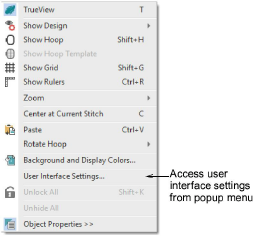
Tip: The User Interface Settings dialog is an important dialog in Hatch Embroidery. It allows you to control a variety of system defaults. Access the dialog via Software Settings > User Interface Settings. Alternatively, right-click a blank part of the design window to access the command from the popup menu.
Add-ons
Get started & learn faster with...






