
Use Output Design > Export Design to export the current design to a machine file for stitching.

Use Dockers > Exports to view the export status of the current session. Conversion to older formats or machine file is performed as a background task.
You can export an open design to machine file format for use by embroidery machines. Hatch Embroidery supports machine formats such as JEF, SEW, DST, EXP, and many others. For a comprehensive list, see Supported embroidery files.
1Open the design you want to export.
2To export to a format recognized by your selected machine, click the Export Design icon.
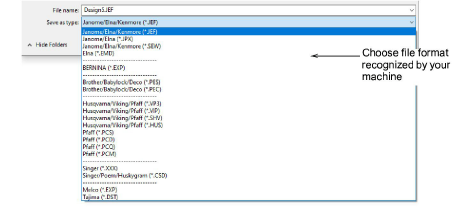
3Select the machine file type you want to export to.
4Click Browse to locate a destination folder for the converted designs.
Open the Exports docker to view the export status of the current session.
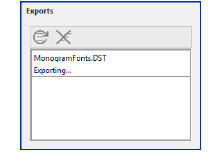
Conversion to older formats or machine file is performed as a background task.
Internet connection is required for this operation.
Use the Retry All button to retry all failed exports.
Use the Clear All button to clear all done and failed exports.
Use the Show Thumbnails button, if available, to toggle design thumbnail display.
Add-ons
Get started & learn faster with...






