
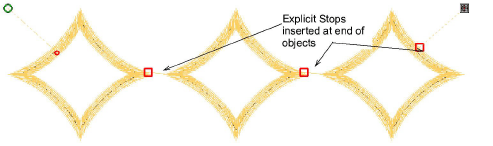
Use Context > Insert Stop to insert an explicit Stop function at the current stitch cursor position in Stitch Edit mode or at the end of a selected embroidery object.
|
|
Use Context > Insert Stop to insert an explicit Stop function at the current stitch cursor position in Stitch Edit mode or at the end of a selected embroidery object. |
Hatch Embroidery 4 provides an explicit Stop function which allows you to pause the embroidery machine at any point in the stitching sequence without forcing a color change or trim.

You can easily insert or clear Stop commands via the Context toolbar or in Stitch Edit mode. Stops can be placed at the current stitch cursor position or applied across selected objects. They are clearly visible in stitch view.
Caution: The Stop function may or may not work with your machine or the machine format you use. Please refer to your machine requirements or limitations if this function does not work as specified.
Add-ons
Get started & learn faster with...






