
Use Digitize > Continue Digitizing to continue digitizing selected objects from the exit point. Right-click object to continue from the entry point.
|
|
Use Digitize > Continue Digitizing to continue digitizing selected objects from the exit point. Right-click object to continue from the entry point. |
Hatch Embroidery now lets you to continue adding sections to the same object after you have pressed Enter. This is ideal for satin columns or outline stitching. It also works with objects created with the block digitizing tool.
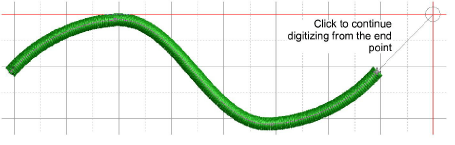
To resume digitizing without starting over, simply click the new Continue Digitizing tool. By default, digitizing resumes from the exit point. To continue from the entry point, right-click the tool instead. Press Enter to complete the object or Esc to cancel.
Add-ons
Get started & learn faster with...






