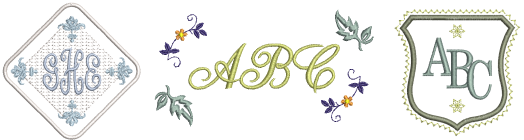
Use Lettering / Monogramming > Monogramming to create personalized monograms using a selection of predefined styles, border shapes and ornaments.
Once you have tried your hand at creating lettering designs and sewing them out, you will want to do more adventurous things, such as monograms, fancy lettering, flair scripts, raised lettering with trapunto, as well as special ‘elastic lettering’ effects. The creative possibilities are endless. Your appetite to try new things will be stimulated as you gain experience and confidence. Part of that involves becoming adept at using your sewing machine as well as sampling and checking design quality.
Tip: Remember to study the sample designs included with your Hatch Embroidery installation.
|
|
Use Lettering / Monogramming > Monogramming to create personalized monograms using a selection of predefined styles, border shapes and ornaments. |
Hatch Embroidery makes the creation of monogramming designs simple with the Monogramming tool. Optionally include lettering, ornaments, and/or up to four concentric borders in your monograms.
|
|
Use Lettering / Monogramming > Lettering to create embroidery lettering using embroidery alphabets, Keyboard Design Collections or TrueType fonts, or edit selected lettering. |
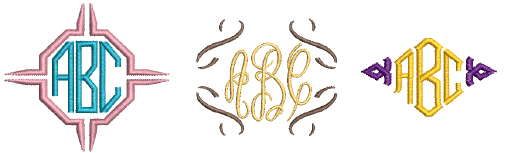
In addition to the dedicated Monogramming feature, Hatch Embroidery allows you to create monogramming designs using special monogram fonts. These fonts may have two or three sets of each letter – left side, middle (optional), and right side. They are found and used with the Lettering tool rather than the Monogramming tool.
|
|
Use Lettering / Monogramming > Lettering to create embroidery lettering using embroidery alphabets or TrueType fonts, or edit selected lettering. |
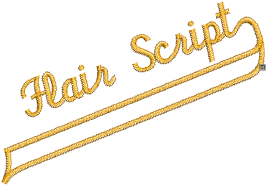
Flair script is a special font which allows you to add decorative flairs to the end of text objects, mimicking flamboyant handwriting flourishes.
|
|
Use Context > Feather Edge to create rough edges and shading effects, or imitate fluffy textures. |
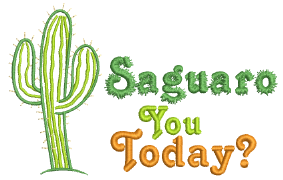 By default, lettering objects are filled with satin stitching. You can apply other fill stitch types, such as tatami or embossed fills, as with any embroidery object.
|
|
Use Lettering / Monogramming > Lettering to create embroidery lettering using embroidery alphabets or TrueType fonts, or edit selected lettering. |
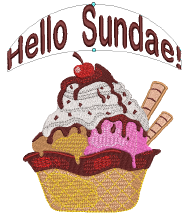 Apply ‘lettering art’ effects to embroidery lettering to make it bulge or arch, stretch or compress.
Add-ons
Get started & learn faster with...