
Use Digitize > Digitize Closed Shape to create closed shapes using either outline or fill stitching. Left-click for corner points, right-click for curves.

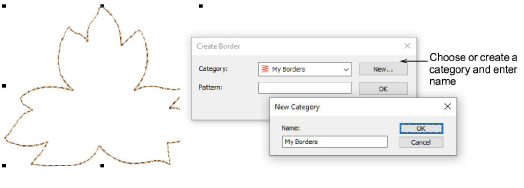
Use Context > Create Border to create a custom border pattern for future use.
|
|
Use Digitize > Digitize Closed Shape to create closed shapes using either outline or fill stitching. Left-click for corner points, right-click for curves. |
|
|
Use Context > Create Border to create a custom border pattern for future use. |
The Create Border function allows you to create your own borders for use in monograms. These can be saved to the default ‘borders’ set or one of your own creation.
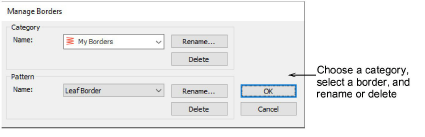
Once you have created your own borders, you can manage them via the Software Settings menu. Select the Manage Borders command to access the dialog. Use this to rename or delete individual borders or entire custom categories.
Add-ons
Get started & learn faster with...


