
Click Customize Design / Context > Machine & Hoop Options to change machines, set up hoop lists, and define custom brands and hoops.
|
|
Click Customize Design / Context > Machine & Hoop Options to change machines, set up hoop lists, and define custom brands and hoops. |
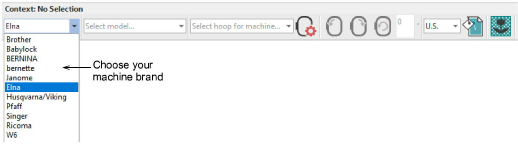
Hatch Embroidery supports many machine brands and models. These are available from the droplists on the Context toolbar. Choose your machine brand from the droplist.
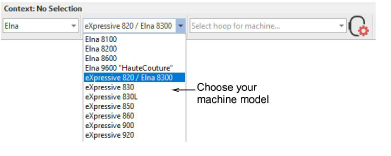
Choose your machine model or type from the accompanying droplist. When the Janome or Elna machine brand is selected, you can select one of the available machine models. When any other machine brand is selected, you have a choice of ‘single-needle’ or ‘multi-needle’ machine types.
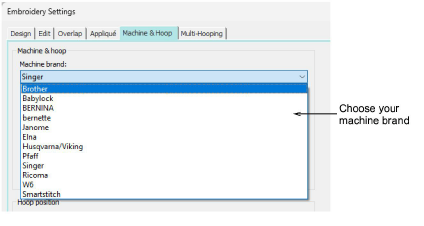
Alternatively, use the Embroidery Settings dialog to preset machine brand and model. Access the dialog via the Software Settings menu. Or click the Machine & Hoop Options button.
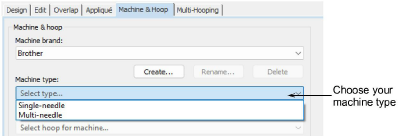
Depending on the selected machine brand, you may have the option of selecting your machine type – single- or multi-needle. Different hoops are available for each of these machine types.
Note: With PES format specifically, the hoop code output for the same size hoop differs depending on whether the machine type is single or multi-needle.
Add-ons
Get started & learn faster with...






