
Use Artwork > Insert Artwork to import vector or bitmap artwork into current design as a backdrop for manual or automatic digitizing.
|
|
Use Artwork > Insert Artwork to import vector or bitmap artwork into current design as a backdrop for manual or automatic digitizing. |
Hatch Embroidery 4 now includes native support for DXF files, allowing you to insert vector artwork without requiring CorelDRAW®. This streamlines the workflow for users working with CAD-generated designs or other DXF-based graphics.
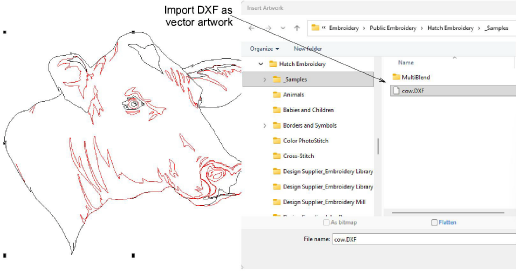
Note: The DXF file must be saved in v12 or older, with a very low tolerance set. Otherwise, you will receive an ‘import failed’ message.
Add-ons
Get started & learn faster with...






