Use Digitize > Rectangle / Square to click 2 corners of a rectangle, or press <Ctrl> for a square.

Use Digitize > Circle / Oval to click the center point plus 2 size points for an oval, or press <Ctrl> for a circle.
Digitize rectangles or squares with any fill or outline stitch type.
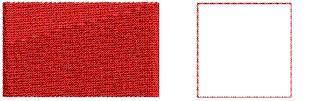
1When using the Rectangle / Square tool, click to start, move the mouse pointer, then click to end the shape.
2To create a perfect square, hold down the Control key while creating your shape.
When the Rectangle/Square digitizing tool is selected, or an object created with this tool, a Rectangle Corners floating toolbar appears. This gives you independent or group control over each corner radius.

The controls on the Rectangle Corners toolbar work like those on the CorelDRAW® Property bar. Turn off the lock toggle for independent control of each corner radius.
Press and hold the Alt key while digitizing/drawing the object on screen to temporarily deactivate the Auto Scroll feature.
Press Escape key when digitizing to delete all points.
Press Escape key again to deactivate the tool.
Add-ons
Get started & learn faster with...