
Use Context > Shortening to reduce stitch bunching in tight curves by shortening stitches on the inside edge. Right-click for settings.
|
|
Use Context > Shortening to reduce stitch bunching in tight curves by shortening stitches on the inside edge. Right-click for settings. |
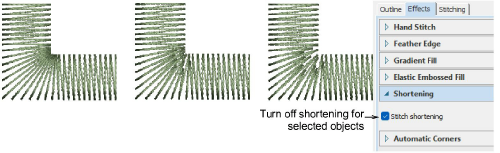
Stitch shortening is automatically applied to sharp corners to decrease stitch bunching on the inside edge. Default settings suit most designs. Turn off shortening for selected objects via Object Properties > Effects.
Add-ons
Get started & learn faster with...






