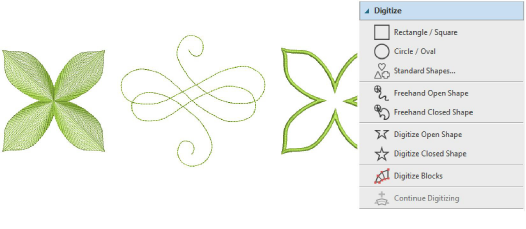
Different digitizing tools are suited to different shapes or design elements. Methods divide broadly into two categories – open or closed – and two types – outline or fill. No stitch type, effect, or thread color is set in stone. Object properties can be modified at any time.
Whenever you select a digitizing tool, instructions in the Prompt Bar guide you through the process. Because these tools use an embroidery digitizing paradigm, you may be prompted to add multiple boundaries for holes, stitch angles, and/or start and end points. Refer to the prompts until the tool becomes familiar to you.

Tip: The CorelDRAW® Graphics Suite of curve-line digitizing tools such as B-Spline Curve, Freehand, Bézier, Pen are also very useful. Objects created with these tools can be converted directly to embroidery. See also Convert artwork to embroidery with CorelDRAW®.
Add-ons
Get started & learn faster with...






