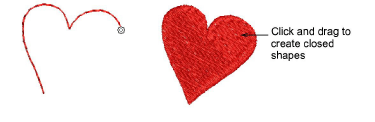
Use Digitize > Freehand Open Shape to click and hold to draw freehand open shapes. Adjust smoothing control for preferred result.
Use Digitize > Freehand Closed Shape to click and hold to draw freehand closed shapes. Adjust smoothing control for preferred result.
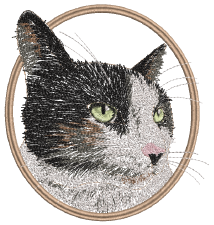
Techniques include stitching on top of photographic images or detailed line drawings. For example, use the tools to manually trace a color photo-stitch design. This technique requires accuracy and control of corners, similar to the CorelDRAW® Polyline tool.
Alternatively, designs resembling pencil or charcoal sketches can be quickly digitized. Use the tools to create ‘doodle’ type drawing effects without following detailed artwork – for example, adding to a basic clipart design or decorative text and so on.
As with other digitizing tools, freehand tools can be used in conjunction with all available stitch types. With these tools, however, you draw objects directly on screen. It is thus possible to produce artistic effects similar to free-motion machine embroidery or ‘thread painting’.
To create freehand shapes...
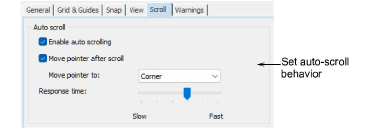
Check your Auto Scroll user interface settings. The following are recommended when using the Freehand tools.
Click and drag Freehand Open Shape to create free-flowing lines. Most line stitch types are available.
Click and drag Freehand Closed Shape to create closed shapes. Most fill stitch types are available.
To erase a portion of a line, press and hold the Shift key while dragging backward over the line. Alternatively, press Backspace to delete control points.
Press and hold the Alt key while digitizing/drawing the object on screen to temporarily deactivate the Auto Scroll feature.
Release the mouse to finish. Or press Esc to cancel input of the object.