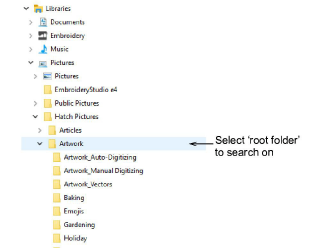
The Design Explorer also allows you to search for and manage artwork files. Along with the dedicated ‘Embroidery’ library, the software also installs a dedicated ‘Pictures’ library.
1Select the root folder in the Design Explorer navigation tree that you want to search on. Every highlighted folder will be included in the search:
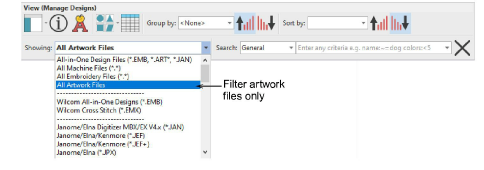
2Use the View toolbar to sort, filter, and search for artwork in Design Explorer. Filter the library to show only artwork file types.
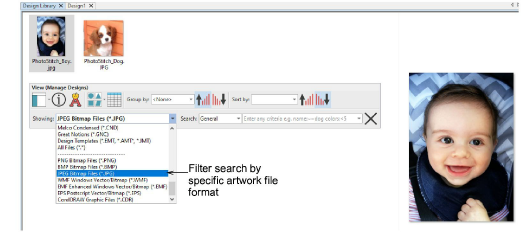
3Optionally, refine your search by filtering on specific file formats such as PNG, BMP, JPG, etc.
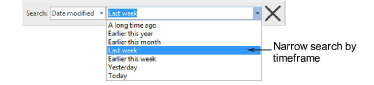
4Again, use the Date modified field to further narrow the search according to the default criteria – e.g. ‘Last week’.
Add-ons
Get started & learn faster with...






