Use Manage Designs > Manage Embroidery Library Locations to add or remove existing folders to/from the Biblioteca Disegni, enabling fast searching and filtering.
|
|
Use Manage Designs > Manage Embroidery Library Locations to add or remove existing folders to/from the Biblioteca Disegni, enabling fast searching and filtering. |
Biblioteca Disegni is a ‘virtual library’ in that any designs on your system can be located and displayed within the navigation tree. Biblioteca Disegni doesn’t care where they physically reside on your hard disk, network, or external storage devices. Any folder containing designs can be included in the navigation tree.
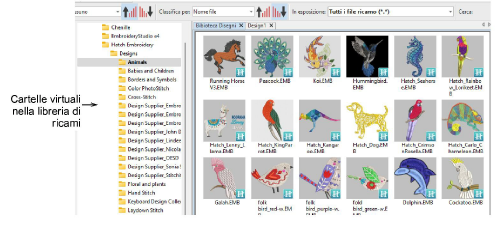
When you add or remove folders from the navigation pane, this only affects the Biblioteca Disegni. It does not affect the folder structure on your hard drive or network.
Use the Manage Embroidery Library Locations function to locate folders containing designs anywhere on your local network.
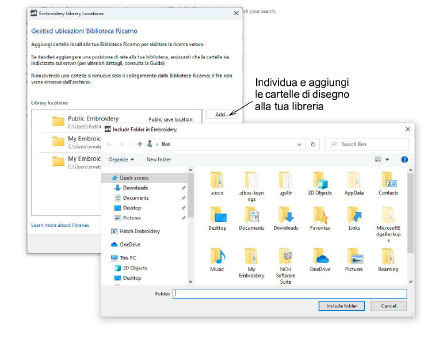
Use the Remove button in the dialog to remove a folder from the Biblioteca Disegni. All subordinate folders will disappear from the navigation pane.
Componenti aggiuntivi
Inizia ed impara più rapidamente con...