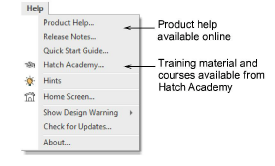
Refer to the Help menu for the following sources of information...
‘Release Notes’ and a ‘Quick Start Guide’ can be viewed and downloaded via the Help menu.
Follow the link to Product Help to download a PDF of the entire Hatch Embroidery User Guide.
A printed copy can also be ordered via Product Help.
The Hints docker provides a valuable learning resource from within the software. It can be activated via the Help menu. Each hint includes a brief feature summary together with a link to a short video.
Note that ‘just-in-time’ help for each tool can also be accessed via F1 keypress. Simply point to the tool and press F1.
The Help menu also provides access to the Hatch Academy. This resource provides free and paid online courses from Hatch and embroidery experts. Resources include embroidery basics, Hatch software training and projects.
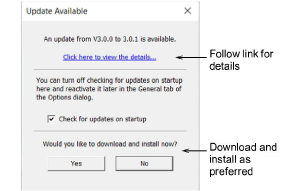
Run the Check for updates command to check for periodic software updates.
Add-ons
Get started & learn faster with...


