Droplist
Tip

Select machine brand for current design.
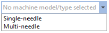
Select from list of models or types – single or multi-needle – associated with selected machine brand.
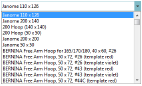
Select from hoop list associated with selected machine and model or type.
The following tools are available by default with nothing selected.
|
Droplist |
Tip |
|
|
Select machine brand for current design. |
|
|
Select from list of models or types – single or multi-needle – associated with selected machine brand. |
|
|
Select from hoop list associated with selected machine and model or type. |
|
Tool |
Tip |
|
|
|
Machine & Hoop Options |
Change machines, set up hoop lists, and define custom brands and hoops. |
|
|
Rotate hoop left 15° |
Rotate first hoop, or currently selected hoops in multi-hooping mode, to the left in 15° increments. |
|
|
Rotate hoop right 15° |
Rotate first hoop, or currently selected hoops in multi-hooping mode, to the right in 15° increments. |
|
|
|
Rotate by specified amount – positive or negative – in degrees. |
|
|
Background and display colors |
Change design background and display colors. |
|
|
Laydown stitch |
Generate light fill to flatten the nap of textured fabrics like terry toweling or fur for subsequent embroidery. |
|
|
Center all |
Center whole design and hoop at 0,0 position and display in the design window. |
|
|
Measurement units |
Change measurement units within software without changing operating system settings. |
Add-ons
Get started & learn faster with...


