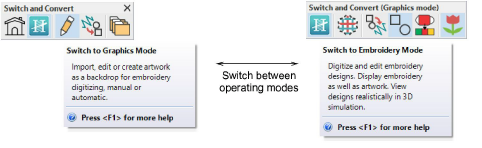
Hatch Embroidery has a single ‘design window’ but you interact with it in different ways.
|
Mode |
Function |
|
Home |
With this mode you can return to the Home screen to access new designs, or access tutorials and other product information. |
|
Embroidery Mode |
This mode allows you to create and edit embroidery objects using an embroidery digitizing toolset. |
|
Graphics Mode |
When installed, this mode allows you to insert, create and edit artwork, vector and bitmaps, using the CorelDRAW software toolset. |
|
Design Library |
This mode allows you to manage design files and artwork. |
Add-ons
Get started & learn faster with...


