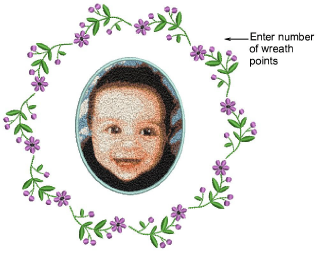
Once you define a work area corresponding to the item or fabric you intend to sew on, you can create rectangular or circular layouts using the dedicated tools. Designs are automatically copied, rotated and placed within the work area.
Insert a design, size it, and position within the work area. Click Auto Center and press Enter to center it.
For square or rectangular layouts, use the Mirror-Copy to Work Area method.
Use the Circle Layout method to mirror ornaments around the perimeter of a circle. The technique is essentially the same, except that you can specify the number of copies in a spin box.
Left-click or press Enter to confirm.
Tip: If you want the selected objects to sew out in separate hoopings, make sure they are grouped before proceeding. Otherwise, they will be color-optimized for a single stitchout – color block by color block.
Add-ons
Get started & learn faster with...


