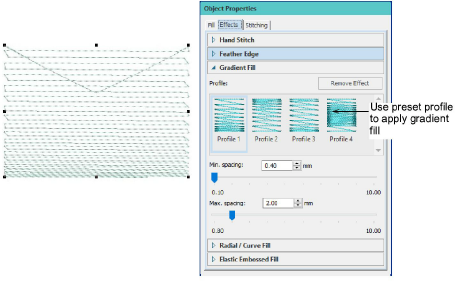
Gradient fills
The Gradient Fill feature varies stitch spacing between dense and open fill, producing gradient and shading effects which are difficult to achieve manually. It provides a simple way to produce variation in a filled pattern and the illusion of depth. It is best used with Tatami fill. When you use it, current settings – including Auto Spacing and Fractional Spacing – are ignored. However, other stitch effects still apply.
Note: In addition to gradient fills, color blending allows you to create interesting color blends, perspective effects and shading effects. Two colors are merged smoothly using a mixture of dense and open fill.
Related topics