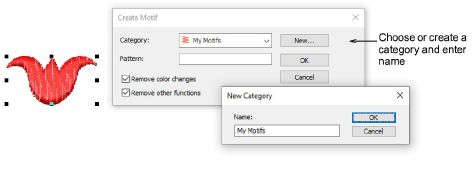
The Create Motif function lets you save your own motif shapes for future use. Create your own ‘motif sets’ to organize and classify your motifs.
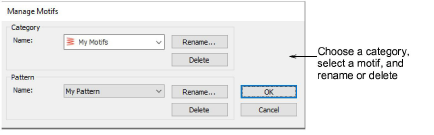
Once you have created your own motifs, you can manage them via the Software Settings menu. Select the Manage Motifs command to access the dialog. Use this to rename or delete individual motifs or entire custom categories.
Add-ons
Get started & learn faster with...


