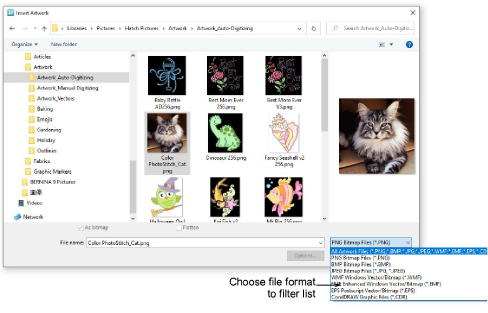
Use Insert Artwork to navigate to artwork folders and open artwork of various formats. Vector graphics are converted to bitmaps upon insertion. Inserted artwork can be used as digitizing backdrops or for automatic digitizing.
For both manual and automatic digitizing purposes, ‘clean’ images, sometimes referred to as ‘cartoons’, work best.
Scanners introduce ‘noise’.
Graphics packages perform ‘dithering’ and ‘anti-aliasing’ to improve image print quality.
Size the image in the Context toolbar to approximate dimensions.
There are width and height limits for Color PhotoStitch processing. Best results are obtained with images smaller than 150mm.
Note: CDR files are not available for opening in Hatch software unless you have an approved version of CorelDRAW installed and linked to Hatch. Other graphic formats can also be read via CorelDRAW. Refer to your installed CorelDRAW documentation.
Add-ons
Get started & learn faster with...


